Document Finder with Filters
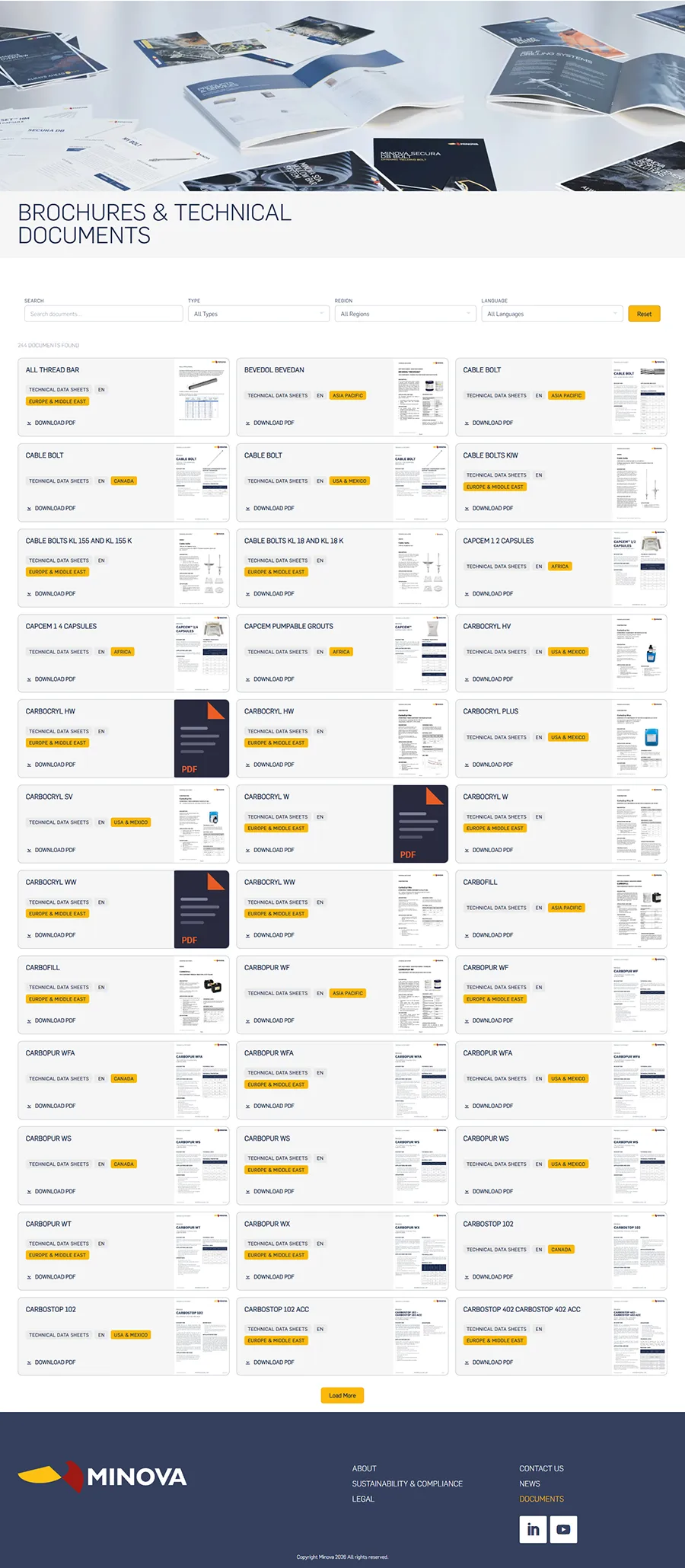
The Problem
Minova's technical document library had grown large enough that finding the right PDF - the right language, region, and document type - meant either knowing exactly what to search for or scrolling through an unorganised archive. There was no filtering, no structure visible to the end user, and no way to surface documents by market or language at a glance. The team needed something that worked within their existing WordPress and Divi setup without requiring a content migration or a new platform.
The Solution
I built a custom WordPress plugin that scans the uploads directory, parses each PDF's filename according to Minova's internal naming convention, and presents the results as a filterable, paginated document library. Visitors can narrow results by keyword, document type, region, and language - with changes reflected instantly via AJAX, no page reload required. The whole thing is exposed as a native Divi Builder module, so the marketing team can drop it onto any page and customise colours, typography, tags, and labels directly from the Divi interface.
The Impact
The document library went from an unstructured file dump to a polished, self-service tool that works for both internal teams and external customers across multiple regions. Editors have full visual control without touching a line of code, and new documents become discoverable the moment they're uploaded - no manual cataloguing required.
The module gives editors control over everything that matters visually: filter box styling, card colours and corner radii, tag colours per category, download button appearance, and all text labels. A toggle in the settings panel shows or hides each filter depending on whether a given page needs the full set or a simplified view.
Under the hood, the parser works backwards through WordPress's hyphenated filename format - detecting the region, language code, and document type from the tail of the slug, then reconstructing the human-readable document name from what remains. An admin-only diagnostics panel makes it straightforward to spot any filenames that fall outside the naming convention, showing exactly which segment caused the mismatch and why.